7 Best Developer Portals for Enterprise Engineering Teams
By Jakkie Koekemoer • December 16th, 2025
Your platform team built an internal developer portal. Or maybe you bought one. Either way, you spent $2 million and a year of engineering time. Sound familiar?
Here's the uncomfortable truth about internal developer portals in 2025: the market has fundamentally matured, and the old "build versus buy" calculus no longer applies. Companies that chose self-hosted Backstage discovered that "free and open-source" means 3-12 dedicated engineers. Organizations that bought proprietary platforms found themselves locked into data models they can't migrate away from. And those who picked the wrong solution are now facing a painful rip-and-replace.
The IDP landscape has evolved into three distinct approaches, each with radically different total cost of ownership:
- Build: Self-hosted Backstage installations offering maximum flexibility at the cost of $1M+ annual operational overhead.
- Buy: Proprietary SaaS platforms like Cortex and Port with polished interfaces but permanent vendor lock-in.
- Hybrid: Managed Backstage solutions delivering open-source ecosystem benefits without the engineering tax.
This guide evaluates the seven platforms that enterprise engineering leaders are actually deploying at scale, focusing on the strategic tradeoffs that matter three years after your initial decision, when you discover whether you made the right choice.
What Makes a Great Enterprise Developer Portal?
Before diving into specific platforms, let's establish the evaluation criteria that separate enterprise-ready IDPs from tools that work well in demos but fail in production.
Ecosystem and Extensibility
Can the platform integrate with your entire toolchain, or are you limited to what the vendor supports? At enterprise scale, you're likely using 50+ different tools across CI/CD, monitoring, security, and cloud infrastructure. The difference between supporting 20 integrations versus 250+ becomes critical when half your value comes from having everything in one place.
Vendor Lock-In Risk
If you decide to move away from the platform in two years, what happens to your data model? Open-source-based solutions like Backstage use standardized YAML entity definitions that you can export and migrate. Proprietary platforms often use custom data models that trap your organizational knowledge inside their systems.
Maintenance Overhead
Does running the platform require a dedicated team, or can your existing platform engineers manage it alongside their other responsibilities? Self-hosted solutions can consume 3-5 full-time engineers just for maintenance, upgrades, and troubleshooting. This is what we call the "TypeScript tax," the hidden cost of maintaining frontend infrastructure that most DevOps teams aren't equipped to handle.
Enterprise Readiness
Does the platform provide role-based access control (RBAC), single sign-on (SSO), and SOC2 compliance out of the box, or do you need to build these capabilities yourself? For regulated industries or companies with strict security requirements, these aren't nice-to-haves, they're table stakes.
Day 2 Operations
Look beyond the initial setup. How difficult is it to upgrade the platform when breaking changes occur? How do you handle search infrastructure at scale? What happens when you need to migrate to a new backend system? The platforms that look easiest on day one often become maintenance nightmares on day 700.
1. Roadie: The Backstage Platform for Enterprises
Category: Hybrid (Managed Backstage)
Best For: Teams that want Backstage's ecosystem without the operational burden
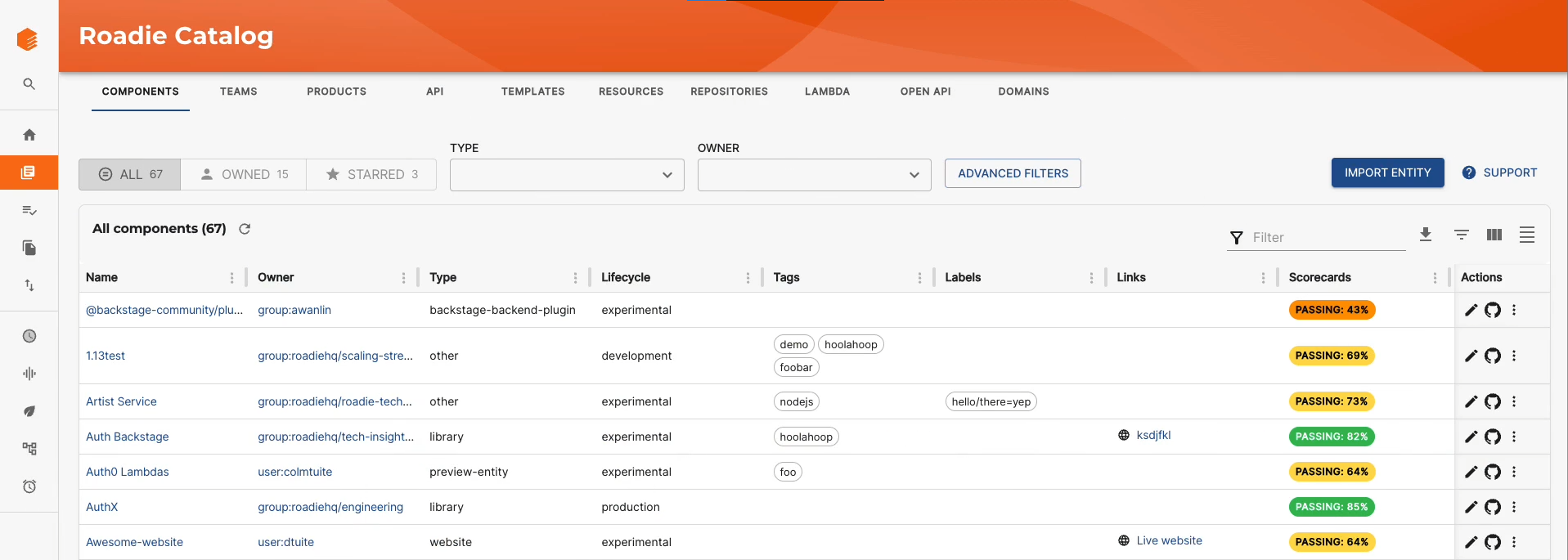
Roadie delivers the full power of Spotify's open-source Backstage platform as a managed SaaS service. This hybrid approach gives you access to the entire Backstage ecosystem, 211 open-source Backstage plugins, standardized data models, and active open-source development, while eliminating the maintenance overhead that typically requires 3+ dedicated engineers.
The platform handles all infrastructure concerns: hosting, security patches, database management, enterprise-grade search, and complex upgrades like the New Backend System migration that challenged self-hosted installations throughout 2024. Your team focuses on configuring integrations and building workflows, not on TypeScript debugging or React component updates.
Key Features:
- Minimal-maintenance Backstage platform with automated upgrades
- Access to entire open-source plugin ecosystem (211 plugins, 82 supported out-of-the-box)
- Built-in Tech Insights for scorecards and engineering standards (paid add-on)
- Enterprise RBAC (basic RBAC in Teams plan, custom RBAC in Growth plan)
- No vendor lock-in, data model is standard Backstage YAML
Pros:
- No TypeScript Tax: Platform engineering teams can focus on platform capabilities rather than maintaining TypeScript and React frontends.
- Open Ecosystem: Any Backstage plugin works, including community-developed integrations.
- Automatic Migrations: Complex upgrades like the New Backend System transition happen automatically.
- Faster Time-to-Value: Most customers see value within weeks, not months.
- Standard Data Model: Your catalog definitions are portable YAML files, not proprietary formats.
Cons:
- Backstage UI Constraints: Less drag-and-drop flexibility compared to tools like Port, though more structured.
- Requires SaaS Comfort: While Roadie offers secure connectivity options (like the Roadie Broker) for on-premises resources, it is primarily a hosted service.
Pricing: Teams plan starts at $24/developer/month with a 50-seat minimum (50-150 developers). Growth plan pricing is custom with a 100-seat minimum (100+ developers). Only active contributors to your source control management (SCM) incur costs, non-coding team members like product managers and leadership can access for free. Tech Insights is an optional paid add-on. View pricing details.
2. Cortex: The Engineering Metrics Specialist
Category: Proprietary SaaS
Best For: Organizations obsessed with service maturity scorecards and reliability metrics
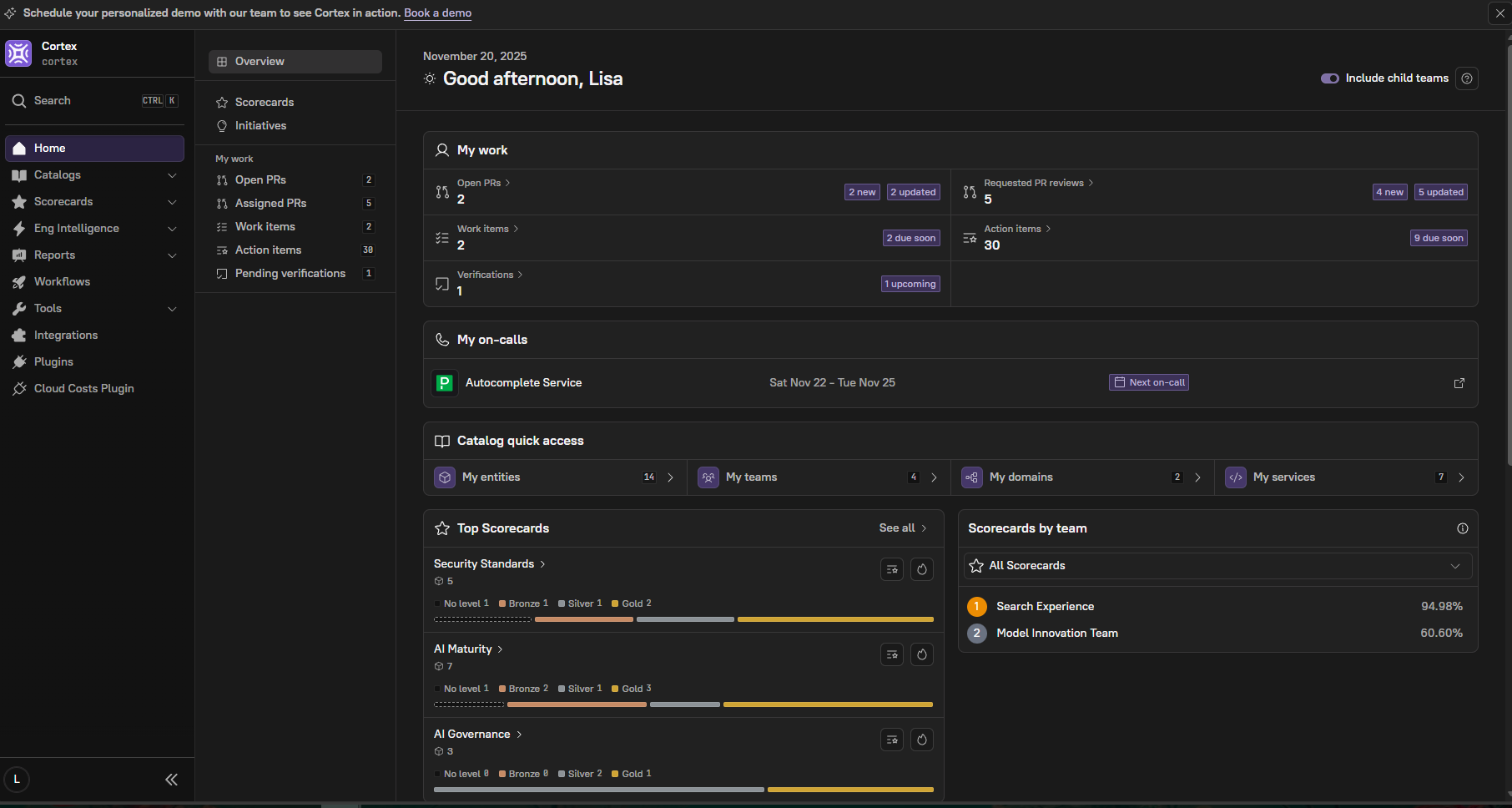
Cortex offers a polished, opinionated developer portal focused heavily on measuring and improving service quality through scorecards and engineering metrics. The platform excels at gamifying service ownership with detailed maturity models, SLO tracking, and automated scoring based on engineering best practices using Bronze/Silver/Gold levels and point-based systems.
The UI feels modern and intuitive, particularly for teams familiar with SaaS tools like Datadog or PagerDuty. Cortex's scorecard system is more sophisticated than most alternatives, offering fine-grained control over scoring criteria with flexible rule definitions and excellent visualization of engineering standards compliance across your organization.
Key Features:
- Advanced scorecard system with customizable rubrics using Bronze/Silver/Gold levels and point-based scoring
- Strong reliability engineering focus (SLOs, incidents, on-call)
- Polished, modern UI optimized for service discovery
- AI-powered features including Ownership Prediction and Velocity Dashboard for DORA metrics
- 60+ out-of-the-box integrations with major monitoring and development tools
Pros:
- Scorecard Sophistication: Best-in-class service maturity tracking with Bronze/Silver/Gold level visualization and detailed point-based scoring.
- Beautiful UI: Modern design that impresses stakeholders.
- Strong Reliability Focus: Excellent for teams prioritizing SRE practices.
- Fast Initial Setup: Can get basic catalog running quickly.
- AI Integration: New AI features for ownership prediction and metrics analysis.
Cons:
- High Price Point: Known for being expensive at enterprise scale, especially compared to Backstage-based alternatives.
- Proprietary Lock-In: Data model is Cortex-specific, making migration difficult.
- Limited Ecosystem: Rely on Cortex to build integrations, can't leverage community plugins.
- Scaffolding Limitations: Template/workflow capabilities lag behind Backstage's Software Templates.
Pricing: Not publicly disclosed; requires signing up for a demo to receive pricing information. However, the Forrester Total Economic Impact study from July 2024 lists pricing at approximately $65/user/month at scale. Multiple tiers available (Engineering Intelligence, Accelerate, Full IDP, Site License) with features scaling from basic catalog and scorecards to full platform capabilities with AI-powered features. Request pricing .
3. Port: The No-Code Builder's Platform
Category: Proprietary SaaS
Best For: Teams that need to model non-standard assets or want maximum UI customization
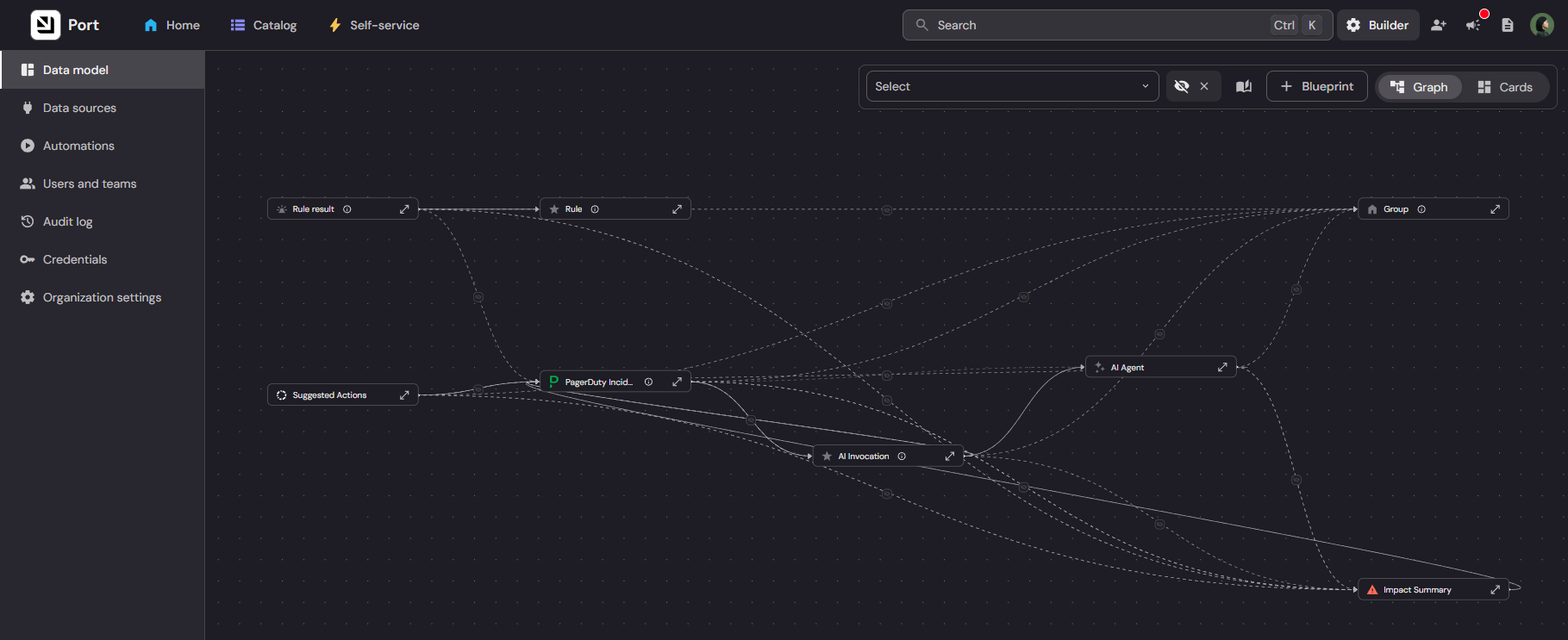
Port takes a radically different approach: instead of providing an opinionated developer portal, it gives you building blocks to create your own. The platform's "no-code" interface lets you define custom data models (called Blueprints) for any asset type, not just services and APIs, but also environments, IoT devices, or cloud resources.
This flexibility makes Port uniquely suited for organizations with complex, non-standard infrastructure that doesn't fit typical service catalog patterns. You can build custom views, define relationships between any entity types, and create workflows that match your exact processes. Port has recently rebranded as an "Agentic Internal Developer Portal" with enhanced AI capabilities.
Key Features:
- Fully customizable data models and UI views via Blueprints
- No-code interface for defining entities and relationships
- Strong visualization capabilities for complex systems
- Self-service actions using Cookiecutter templates
- 50+ integrations including DORA metrics tracking
- AI agent capabilities and Engineering360 dashboard
Pros:
- Ultimate Flexibility: Model anything your organization needs, not just traditional services.
- Custom Views: Build exactly the interface your teams need.
- Good for Complex Infrastructure: Excellent for multi-cloud, hybrid environments with diverse asset types.
- Visual Workflow Builder: Create automation without writing code.
Cons:
- Blank Slate Problem: Maximum flexibility means you build everything from scratch; less out-of-the-box value.
- Proprietary Ecosystem: Cannot leverage the Backstage open-source plugin ecosystem, though the Ocean Framework provides extensibility through data integrations and workflow automation.
- Weaker Documentation Features: While it supports Markdown, it lacks the full TechDocs build pipeline and search capabilities found in Backstage.
- Steeper Learning Curve: Teams need time to master the data modeling concepts.
Pricing: Free tier available (up to 15 seats, 10,000 entities). Startup tier at $30/developer/month. Enterprise tier available with premium features including SSO, advanced RBAC, ISO 27001 and SOC2 Type 2 certifications, and dedicated support. View pricing details .
4. OpsLevel: The Service Maturity Tracker
Category: Proprietary SaaS
Best For: Teams focused primarily on service ownership and maturity tracking
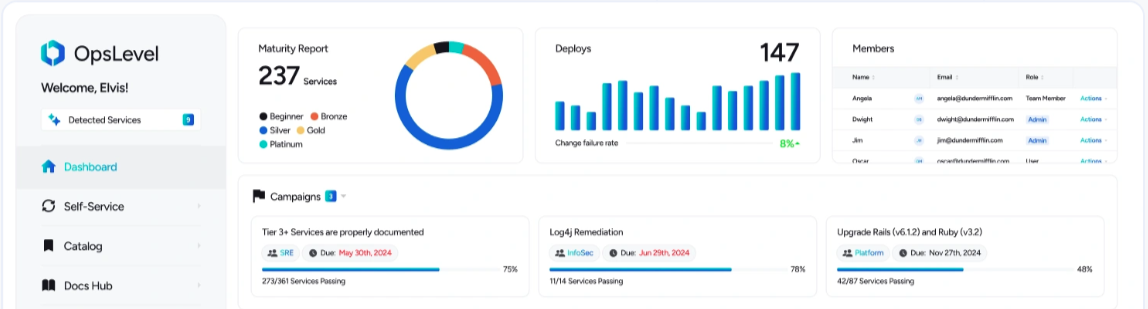
OpsLevel started as a service maturity and ownership tool before evolving into a broader developer portal. This heritage shows in its excellent service ownership features and straightforward approach to tracking engineering standards compliance through its "Rubric" system with Bronze/Silver/Gold levels, plus separate Scorecards for team-specific standards.
The platform offers the fastest time-to-initial-value for basic service cataloging, with typical deployments completing in 30-45 days. You can have a working catalog with ownership information and basic checks running within hours. However, this simplicity comes at the cost of extensibility, OpsLevel's feature set is more constrained than platforms built on extensible architectures. Recent additions include AI-powered features for check generation and catalog enrichment.
Key Features:
- Fast setup for basic service catalog (typical 30-45 day deployment)
- Strong focus on service ownership and maturity rubrics
- Good integration with CI/CD systems for automated checks (60+ integrations)
- AI-generated checks and AI-enriched catalog
- Package version inventories for SBOM visibility
- Clean, straightforward UI
Pros:
- Quickest Setup: Get a basic catalog running faster than any alternative.
- Service Ownership Focus: Excellent for clarifying who owns what.
- Maturity Rubrics: Good built-in templates for measuring service quality.
- Intuitive Interface: Less complex than more feature-rich platforms.
- AI Integration: New AI features streamline catalog management.
Cons:
- Limited Extensibility: Can't add community plugins or build custom integrations easily.
- Rigid UI: Less flexible than Port or Backstage for customization.
- Narrower Feature Set: Primarily focused on cataloging and checks, less emphasis on docs or scaffolding.
- Proprietary Lock-In: Migration path unclear if you outgrow the platform.
Pricing: Not publicly disclosed, pricing based on team size with custom quotes. Per-developer pricing model with volume discounts available. Includes SOC2 Type 2 compliance and SAML-based SSO. Pricing customizable based on needs including self-hosted options and support levels. Request pricing .
5. Atlassian Compass: The Jira Companion
Category: Proprietary SaaS
Best For: Organizations deeply invested in the Atlassian ecosystem
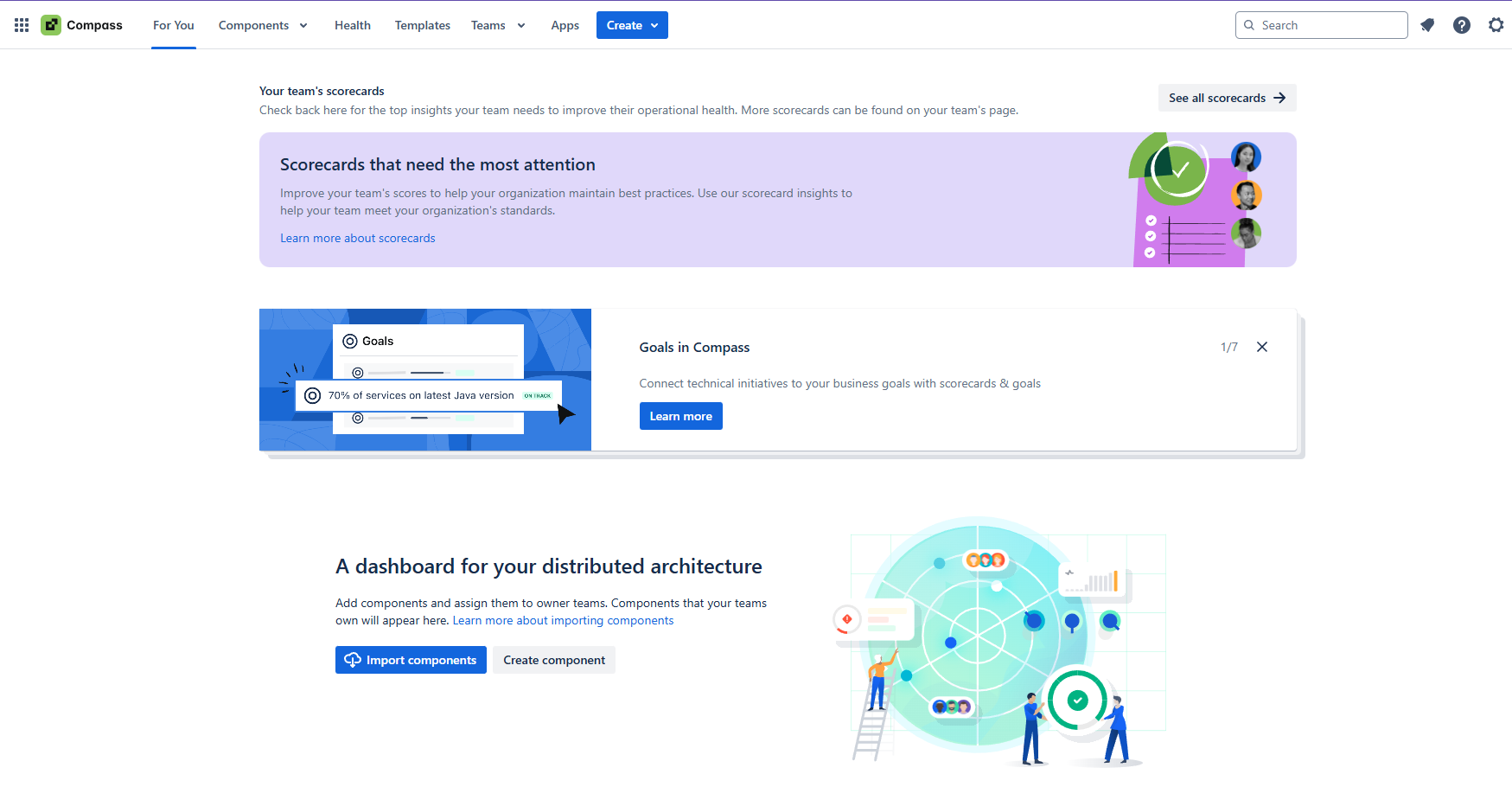
If your company runs on Jira, Bitbucket, and Confluence, Compass offers the most seamless native integration you'll find. The platform leverages Atlassian's identity system, pulls in data from other Atlassian products automatically, and feels like a natural extension of your existing toolchain.
Compass provides automated service health monitoring, tracking metrics from integrated tools and surfacing problems before they escalate. For teams already paying for Atlassian products, Compass represents an incremental cost with minimal integration effort. The platform has scorecards with a new "Maturity Levels" feature added in 2025.
Important Note: Atlassian deprecated the Templates/scaffolding feature on December 1, 2025. This represents a significant capability reduction for teams requiring self-service service creation.
Key Features:
- Native integration with Jira, Bitbucket, Confluence, and Opsgenie
- Automated service health monitoring
- Component tracking with Atlassian-native data models
- Integrated incident management through Opsgenie
- Scorecards with Maturity Levels feature
- Built on Atlassian Forge with GraphQL APIs for extensibility
Pros:
- Atlassian Integration: Unbeatable if you use Jira for everything.
- Familiar UX: Feels consistent with other Atlassian products.
- Automated Health Monitoring: Good automated health checks.
- Standalone or Bundled: Available as standalone product or with some enterprise packages.
Cons:
- The Atlassian Trap: Struggles with non-Atlassian tools like GitHub, GitLab, or CircleCI.
- Scaffolding Removed: Templates feature deprecated December 1, 2025, no longer available for service creation.
- Proprietary Ecosystem: Can't extend with community plugins.
- Not a Full IDP: More of a service catalog with add-ons than a complete platform interface.
Pricing: Free tier available (3 full users, unlimited basic users). Standard tier at $8/user/month includes basic features. Premium tier at $25/user/month includes IP Allowlisting, advanced integrations, 99.9% uptime SLA, and premium support. Discounted rates available for teams above 101 users. Compass is a standalone product with separate billing from other Atlassian tools. View pricing details .
6. Backstage (Self-Hosted)
Category: Open Source (Self-Hosted)
Best For: Large enterprises with dedicated platform engineering teams and specific compliance requirements
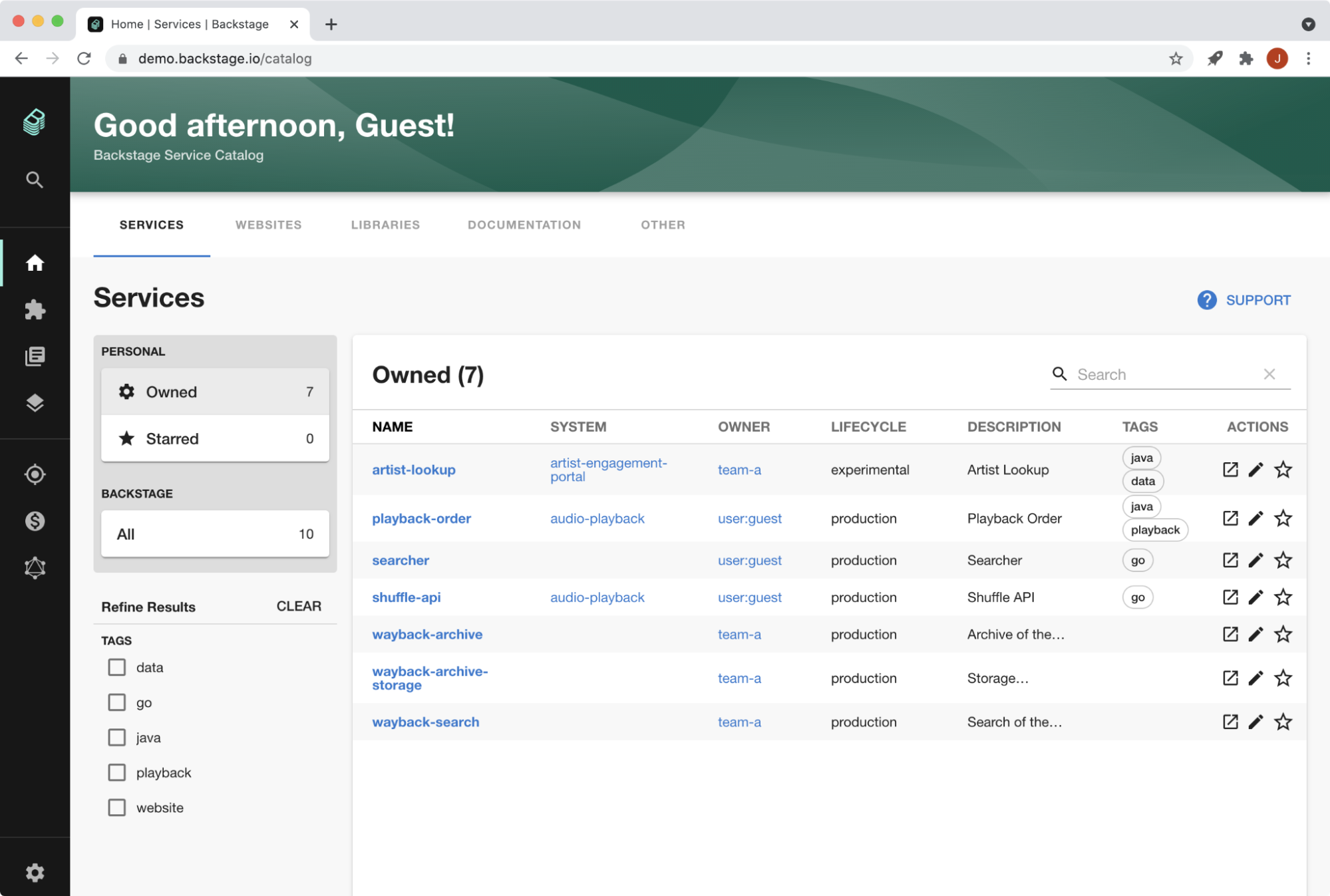
Spotify's Backstage is the industry-standard open-source developer portal framework. It powers IDPs at Spotify, American Airlines, Pinterest, and thousands of other organizations. The platform offers ultimate flexibility: you own the code, control the infrastructure, and can customize anything.
But this flexibility comes with significant operational costs. Self-hosting Backstage requires 3-5 dedicated engineers to manage infrastructure, handle upgrades, maintain search systems, and keep up with the rapidly evolving codebase. Roadie's survey of the Backstage community found that users reporting satisfaction with self-hosted deployments had at least three engineers dedicated full-time, with some companies staffing teams of 12 people just for Backstage. Breaking changes occur regularly with monthly releases, and major migrations like the New Backend System transition that completed in 2024 consumed months of engineering time for self-hosted teams.
For perspective on the true cost of building similar developer portals, Zalando invested over $4 million across four years developing their internal platform before open-sourcing their work as part of Backstage.
Key Features:
- Fully open-source with Apache 2.0 license
- 250+ community plugins covering every major tool
- Extensible architecture for custom plugins and integrations
- Active community and regular monthly releases
- CNCF Incubating project with strong enterprise adoption
Pros:
- Ultimate Control: You own everything and can customize without limits.
- No License Costs: Free to download and use.
- Massive Ecosystem: Largest community and plugin library (250+ plugins).
- No Vendor Dependency: Run anywhere, modify anything.
- Industry Standard: Backed by CNCF and major enterprises.
Cons:
- Operational Overhead: Requires 3-5 FTE engineers minimum for successful deployments, some teams reach 12 FTEs.
- The TypeScript Tax: Most DevOps teams lack frontend skills for React/TypeScript customization.
- Upgrade Complexity: Monthly breaking changes and major migrations (like New Backend System) require significant engineering investment.
- Day 2 Operational Burden: You manage databases, search infrastructure (Elasticsearch), monitoring, and security patches.
- Hidden Costs: The real cost when factoring in engineering time, opportunity cost, and infrastructure can reach millions of dollars. At typical senior platform engineer compensation ($250K/year fully loaded), 3-5 engineers cost $750K-$1.25M annually, plus infrastructure costs ($12K-$24K/year). TCO typically exceeds $2M+ over three years when including engineering time and opportunity cost.
Pricing: Free (open source under Apache 2.0 license). However, total cost of ownership includes 3-5 engineer salaries ($750K-$1.25M+ annually at senior platform engineer compensation of $250K/year fully loaded) plus infrastructure costs ($12K-$24K+ annually for hosting, databases, and search infrastructure). TCO typically exceeds $2M+ over three years when factoring in engineering time, opportunity cost, and infrastructure.
7. Configure8: The Universal Catalog Platform
Category: Proprietary SaaS
Best For: Organizations prioritizing discovery and cost analytics
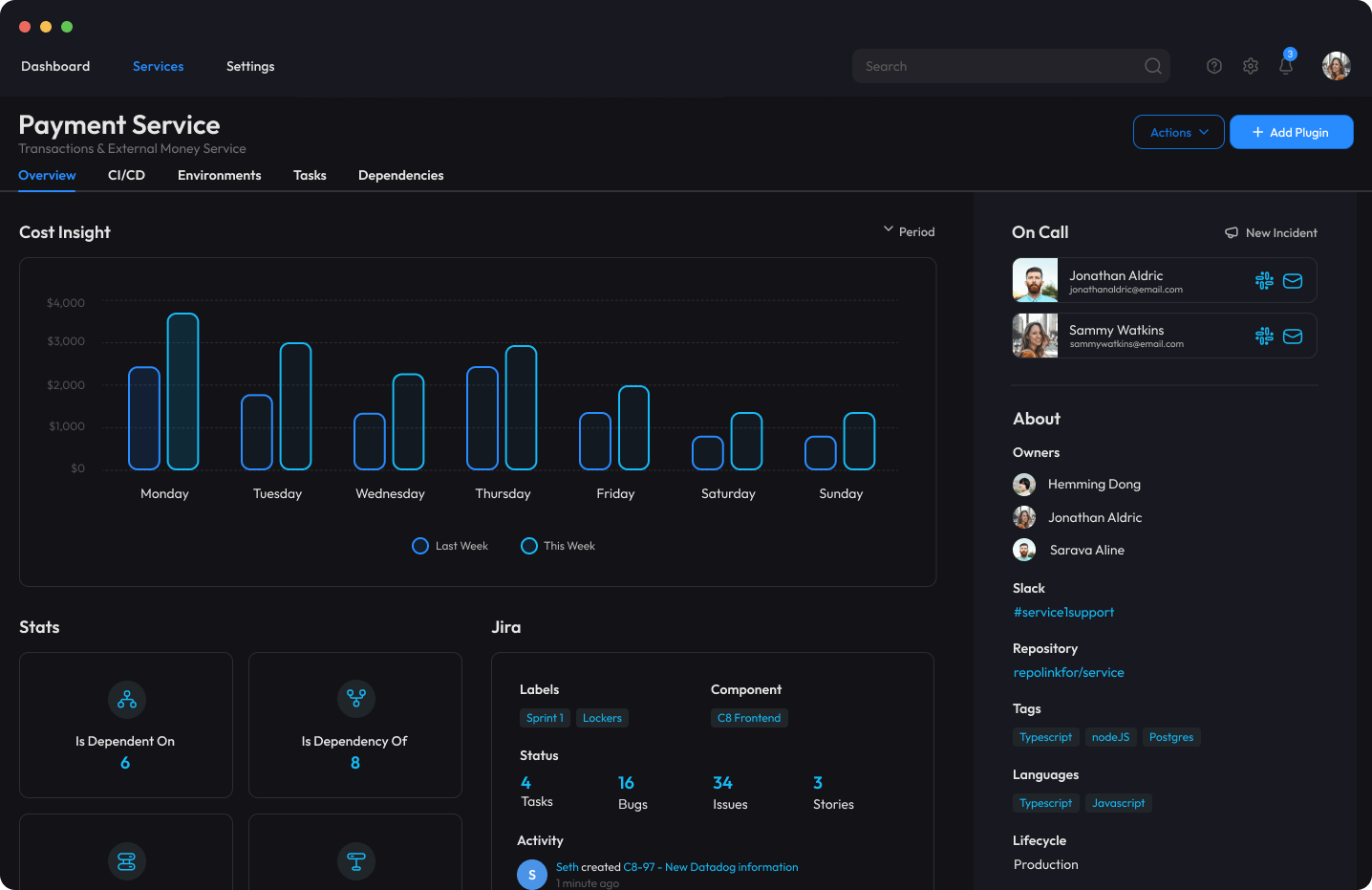
Configure8 positions itself as a "universal catalog" that can ingest and relate data from virtually any source. The platform emphasizes discovery features, helping teams understand what they have and how it's interconnected. It also offers strong cloud cost integration, surfacing spending data alongside technical resources.
While Configure8 has solid core features including 30+ integrations and workflow-based Self-Serve Actions, its smaller market presence and proprietary nature make it a riskier choice than platforms with larger ecosystems or open-source foundations.
Key Features:
- Universal catalog supporting diverse asset types
- Strong discovery and search capabilities
- Cloud cost analytics integration
- Relationship mapping across resources
- Workflow-based Self-Serve Actions
- Available as SaaS or on-premises deployment
Pros:
- Comprehensive Discovery: Good at helping teams understand what exists.
- Cost Integration: Unique focus on cloud spending alongside technical resources.
- Multi-Source Ingestion: Can pull data from many systems.
- Deployment Flexibility: Offers both SaaS and on-prem options.
Cons:
- Smaller Ecosystem: Less community support and fewer integrations (30+) than larger platforms.
- Proprietary Lock-In: Data model is Configure8-specific.
- Limited Track Record: Fewer public case studies and enterprise deployments than alternatives.
- Market Position Uncertainty: Smaller player in a competitive market.
Pricing: Free tier available (up to 10 users for scorecards). Paid tiers available with SOC2 certification and RBAC features. Enterprise pricing available with additional features and volume discounts. Available as both SaaS and on-premises deployment. Contact Configure8 for detailed pricing information. View pricing page .
Comparison: At a Glance
| Platform | Foundation | Maintenance | Ecosystem Size | Lock-In Risk | Enterprise Features |
|---|---|---|---|---|---|
| Roadie | Open Source (Backstage) | Minimal (Managed) | 211 plugins | Low (standard YAML) | RBAC, SSO, SOC2 Day 1 |
| Cortex | Proprietary | Minimal (SaaS) | 60+ integrations | High (proprietary) | Strong |
| Port | Proprietary | Minimal (SaaS) | 50+ integrations | High (proprietary) | Good |
| OpsLevel | Proprietary | Minimal (SaaS) | 60+ integrations | High (proprietary) | Basic |
| Compass | Proprietary | Minimal (SaaS) | Atlassian-centric | High (proprietary) | Good (if Atlassian) |
| Backstage | Open Source | High (3-12 engineers) | 250+ plugins | None | DIY |
| Configure8 | Proprietary | Minimal (SaaS) | 30+ integrations | High (proprietary) | Moderate |
How to Choose the Right Developer Portal
The right IDP depends on your organization's constraints, technical culture, and platform engineering maturity:
- Choose Self-Hosted Backstage if you have a team of 10+ platform engineers, unlimited budget, and specific requirements that absolutely cannot be met by managed solutions. You're willing to invest significant engineering time in maintenance and customization for maximum control. Be prepared for 3-12 dedicated engineers and $2M+ total cost of ownership over three years.
- Choose Cortex or Port if you value polished UI above all else, don't mind proprietary lock-in, and want specific workflow capabilities their platforms emphasize. Budget for potentially higher costs at scale (~$65/user/month for Cortex, ~$30+/user/month for Port enterprise tiers).
- Choose OpsLevel if you need a basic service catalog immediately and your primary use case is tracking ownership and maturity, not building complex workflows or maintaining extensive documentation.
- Choose Compass if you live entirely in the Atlassian ecosystem and can accept its limitations with non-Atlassian tools. Note that scaffolding/templates were deprecated December 1, 2025. The integration efficiency may outweigh the platform's constraints if you're already in the Atlassian ecosystem.
- Choose Roadie if you want the industry standard (Backstage) with its entire ecosystem and community support, but you value your engineers' time too much to spend it on infrastructure maintenance. It's the "golden path" for enterprises that want modern platform capabilities without the platform tax or the $2M+ cost of building from scratch.
The key question isn't which platform has the most features, it's which platform lets your engineers focus on building platform capabilities instead of maintaining platform infrastructure. At the 150+ engineer scale where IDPs become critical, that distinction determines whether your portal becomes a force multiplier or just another thing to maintain, potentially at a cost exceeding $2M over three years if you go the self-hosted route.
Next Steps
Ready to implement a developer portal for your organization? Here are some practical next steps to guide your journey:
Evaluate Roadie with a Free Trial: Experience the power of managed Backstage firsthand. Start your free trial to explore Roadie's features, integrations, and see how quickly you can get value without the operational overhead.
Learn from Customer Success Stories: See how other enterprise teams have successfully implemented developer portals. Read our case studies to understand real-world adoption strategies, challenges overcome, and measurable results achieved.
Dive Deeper into Backstage: If you're new to Backstage or want to understand its capabilities better, explore our comprehensive guide to Backstage and learn why it's become the industry standard for developer portals.
Plan Your Implementation: Moving from evaluation to production requires careful planning. Our guide on planning and implementing Backstage from Day 0 to Day 2 provides a roadmap for successful adoption.
Compare Your Options: Still weighing self-hosted versus managed solutions? Read our detailed comparison of managed vs. self-hosted Backstage to understand the true total cost of ownership.
Schedule a Demo: See Roadie in action with your specific use cases. Request a personalized demo to discuss your requirements, explore integrations, and understand how Roadie can accelerate your platform engineering initiatives.
