Service Tokens
Published on August 6th, 2026Introduction
MCP servers and the REST API accept two kinds of credential: an interactive OAuth login, or a Service Token.
Service Tokens are for consumers that cannot complete a browser flow, such as CI jobs, background agents, scripts, and MCP clients running unattended. They are long-lived, individually revocable, and scoped, so each consumer can be given only the access it needs.
Manage them under Administration → Service Tokens.
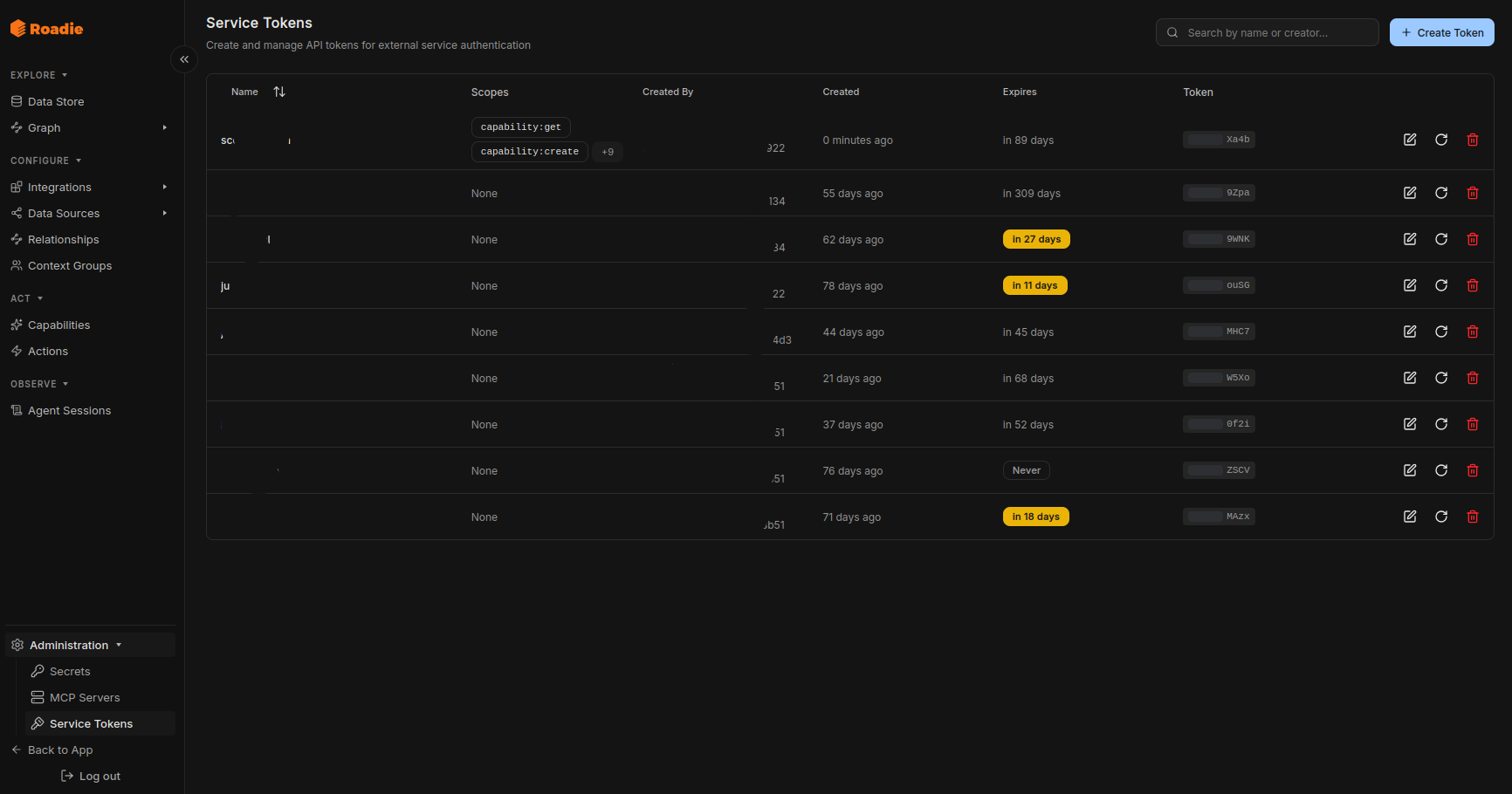
Creating a token
A token has three things:
- Name: how it appears in the token list and in Agent Sessions. Name it after the consumer rather than the person creating it.
- Expiration: 30 days, 90 days, 1 year, 2 years, or no expiry. The default is 90 days.
- Scopes: what it may do. See below.
The token value is shown once, at creation, and cannot be retrieved afterwards. The list only ever shows a masked version. Copy it before closing the dialog. If you lose it, rotate the token.
Using a token
Send it as a bearer token:
curl -H "Authorization: Bearer <token>" \
  https://app-api.roadie.so/api/mcp/v1/explore
Requests made with a Service Token appear in Agent Sessions as Token: <name>. Giving each agent or job its own token is what makes that attribution useful.
Scopes
A scope is resource:action, optionally narrowed to a single instance with resource:action:target. A grant of the un-narrowed scope covers every target.
Verbs
| Verb | Meaning |
|---|---|
get | Read a single resource |
query | A read that changes nothing, such as a search or a list |
create | Create or modify a resource |
delete | Delete a resource |
dry-run | Simulate without persisting |
execute | Run, apply, or restore an existing resource |
Resources
| Resource | Verbs available |
|---|---|
capability | get, query, create, delete |
action | get, query, create, delete, execute |
context-group | query, create, delete, dry-run, execute |
catalog-datastore | get, query, create, delete, execute |
datasource | query, create |
relationship | get, query, create, delete |
relationship-rule | get, query, create, delete, dry-run, execute |
integration | get, query, create, delete, execute |
catalog-workflow | get, query, create, delete, dry-run, execute |
secrets-settings | get, query, create, delete |
ai | get, create, execute |
mcp | query |
mcp-settings | query, create |
mcp-telemetry | create |
A resource lists only the verbs it enforces. A scope that gates nothing is not offered, so it cannot be granted by mistake.
Narrowing to specific targets
Some scopes can be pinned to a single instance, which is how you give an agent access to one Capability or one Action rather than all of them:
| Scope | Narrowed form |
|---|---|
capability:get | capability:get:<capability-slug> |
capability:query | capability:query:<capability-slug> |
action:query | action:query:<action-slug> |
action:execute | action:execute:<action-slug> |
context-group:query | context-group:query:<rule-slug> |
catalog-datastore scopes cannot be narrowed per Data Source. Granting catalog-datastore:query grants search across the whole Data Store.
Scope suggestions
If a Capability's instructions reference other resources with @type:slug, such as @action:create-repository or @context-group:payments-team, the scope picker parses those references and suggests the scopes needed to follow that Capability end to end.
Starting from the Capability you intend an agent to run, and accepting the suggestions, is the shortest path to a correctly scoped token.
Rotating and revoking
- Rotate issues a new token value and revokes the old one in the same step, keeping the name and scopes. Use it on a schedule, or immediately if a token may have leaked.
- Edit changes a token's name and scopes without changing its value.
- Revoke invalidates the token immediately.
