Building your Catalog
Published on April 9th, 2026Overview
The primary method of constructing your Catalog in Roadie is by pulling data from sources of truth and stitching that together into Catalog entities.
We call this the Catalog Builder.
The data you need already lives outside of a structured Catalog format, and by syncing to these systems on a regular basis you can produce a live, always accurate representation of your software ecosystem.
How does the Catalog Builder work?
| Topic | What it is |
|---|---|
| Integrations | Reusable connections (for example HTTP or AWS) that power data sources and workflow nodes. |
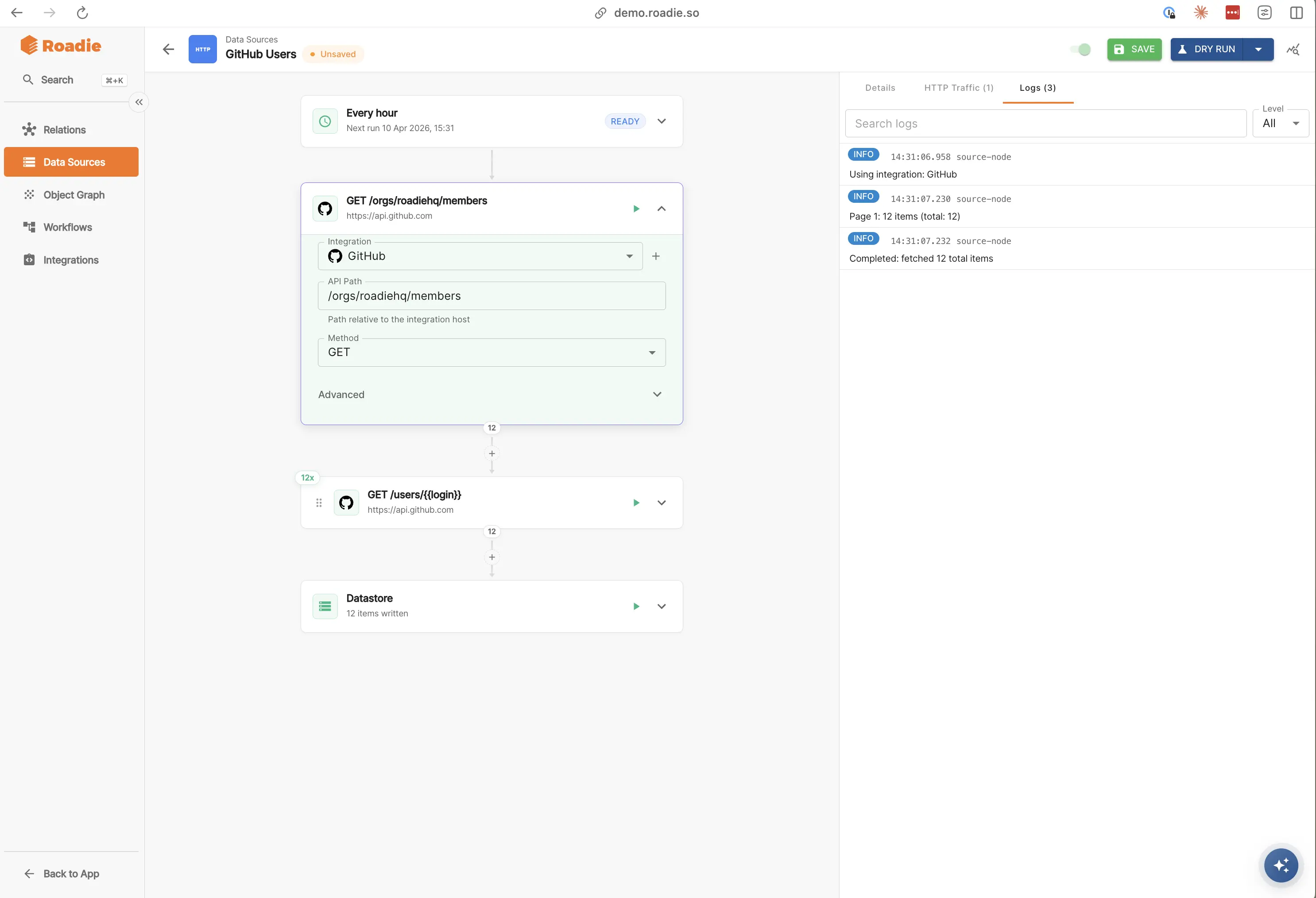
| Data sources | Sync external data into the catalog datastore on a schedule. |
| Entity Workflows | Pull data from data sources, transform it, merge it, and then emit it as Catalog entities. |
How do you get started?
- Define or reuse integrations your organization trusts for outbound calls. These can be common third party tools like AWS or GitHub, but they can also be homegrown APIs and services hosted on your infrastructure.
- Create data sources that pull from specific endpoints that an integration exposes then normalized the objects to store them in the catalog datastore.
- Build Entity Workflows with a schedule that wire one or more Datastore together to form Entities. Here you can map / filter / merge, and combine Data Sources to create Entities in your Catalog.
Permissions
Building your Catalog uses dedicated permissions for integrations and catalog workflows (read, create, update, delete, and execute on workflows).
Assign them to platform or admin roles so only trusted users can change pipelines that affect production catalog data.
Read the Permissions documentation for how roles and policies work in Roadie.
What about things that are currently stored in a source of truth system?
The Catalog Builder complements other ingestion paths you might also want to use:
- YAML in Git (autodiscovery, location management)
- Auto-ingestion from supported providers
- Roadie Entity API for push or set-based updates
Further reading
| Topic | Description |
|---|---|
| Catalog overview | How the catalog fits together with other ingestion options |
| Getting started overview | First steps alongside YAML, CLI, API, and Building your Catalog |
| Modeling entities | Kinds, relationships, and YAML structure |
| HTTP integration | HTTP proxy patterns elsewhere in Roadie (related concepts) |
| Decorating components | Enriching entities without editing source YAML |
| Roadie Entity API | Programmatic entity management |
