Catalog data sources
Published on April 9th, 2026Overview
Data sources are how you pull structured data from the outside world into Roadie’s catalog datastore.
Each data source is part of an integration.
Data source runs can be scheduled so the underlying data stored in Roadie stays fresh before workflows read that data and turn it into catalog entities.
Open Data sources in the catalog administration experience to:
- Create and edit sources that map integration responses into datastore objects
- See object counts, last run times, and status at a glance
- Drill into a source to test extraction and adjust configuration
Data sources are usually the upstream step in a generation pipeline: sync objects to a data source, then consume them with Data source nodes in Entity Workflows.
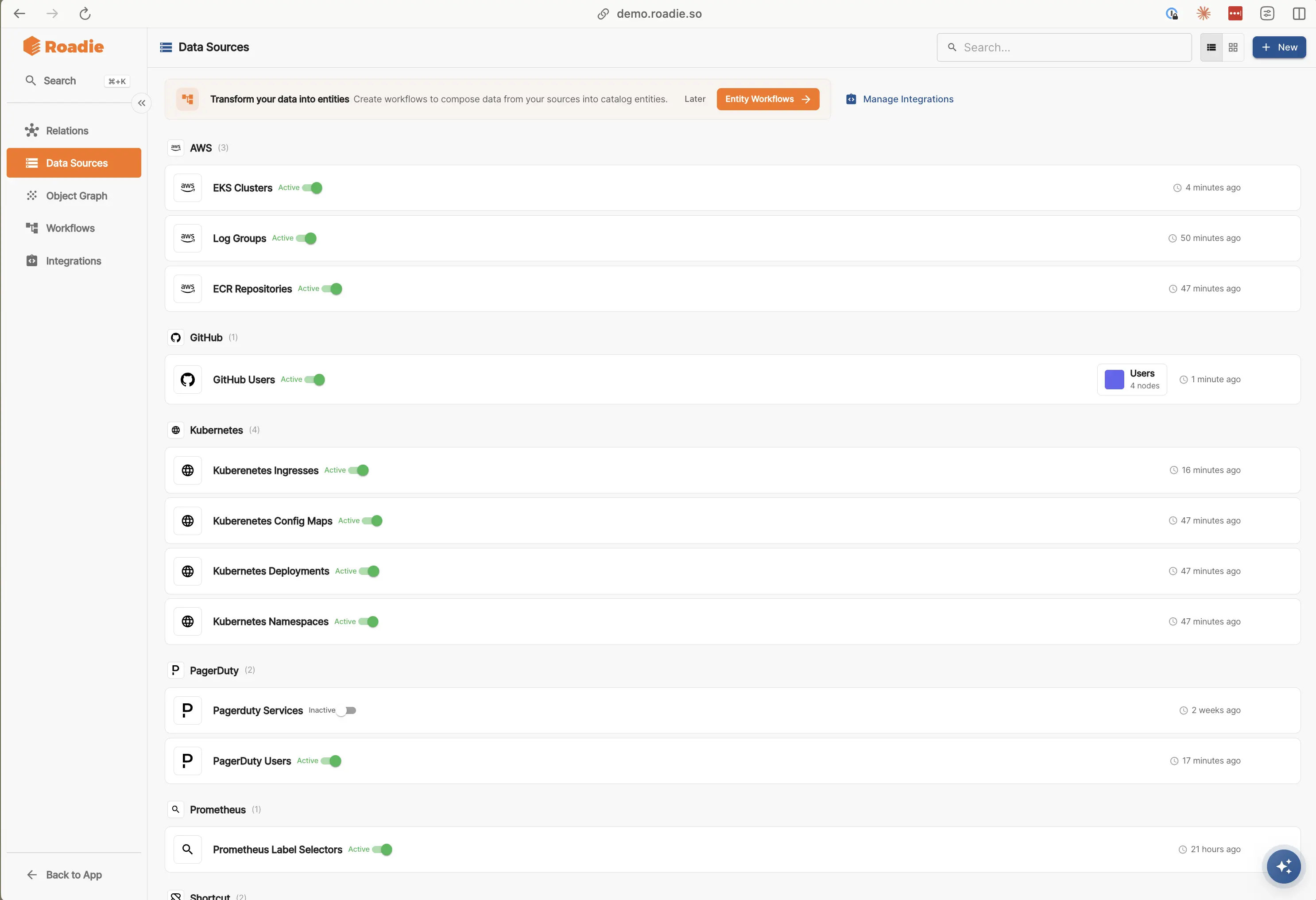
Creating a Data Source
All Data Sources require a configured Integration. Unconfigured Integrations appear greyed out in the Integrations list, indicating that config and/or secrets need to be added for those services.
- Click
+ Newon the Data Source page - Select the
Integrationyou will be pulling data from for this Data Source. - Select an API path to call to retrieve data. Integrations expose several endpoints that are ingested via OpenAPI specs to form this dropdown list.
- Most API endpoints require some parameters to be passed into them. Add those where appropriate.
- Once you've made your edits,
SaveandDry Runto see results of your Data Source. If there are issues, you'll then see information about any errors that might be present. If the Data Source executed successfully, you'll see counts for each step for how many objects were returned. - If that all looks correct, hit
Run saved version. - On the Data Source screen, mark as
Activeusing the toggle.
Filtering
If an API call returns more data than require, you can optionally filter it before the response is saved to the Datastore.
Chained Sources
If the data you want requires multiple calls, you can use a Chained Source. Chained Sources can either Enrich (add additional data to each item returned from the previous Source) or Flatten (replace items from the previous Source with the results of the latest call).
Scheduling
Data Sources run on a schedule.
For each Data Source you can modify the Schedule for when and how frequently it runs.
Storing in the Datastore
Objects are indexed on their way into the Datastore. By default this uses the id from each object.
Advanced options and additional headers
Each Data Source supports adding extra information to requests and tuning how responses are turned into datastore objects:
| Option | Detail |
|---|---|
| Additional Headers | Extra HTTP headers sent with each Data Source request to the integration (for example custom auth or tracing headers). |
| Response Parsing - array expression | Expression that selects the array within the response whose elements should be stored as objects in the datastore. |
| Response Parsing - object id expression | Expression that selects the stable identifier for each object when indexing into the datastore (see Storing in the Datastore). |
| Pagination settings | Configuration for APIs that split results across pages, so the Data Source can retrieve the full dataset. |
