Custom Cards [beta]
Published on January 21st, 2026Introduction
Custom cards is a beta feature for generating UI components to be used within the Roadie IDP.
Custom cards can be created by Admins, entirely within the Roadie UI, for Entity pages or the Home Page to render data in whatever form you would like.
Each card is made up of:
- One or more Data Fetchers to grab data to populate the card from either internal Roadie APIs or proxies.
- Code to render the output of the returned data (MDX in this case)
- A set of Roadie components that help ensure the rendered card is in keeping with the rest of the user interface
Creating a card
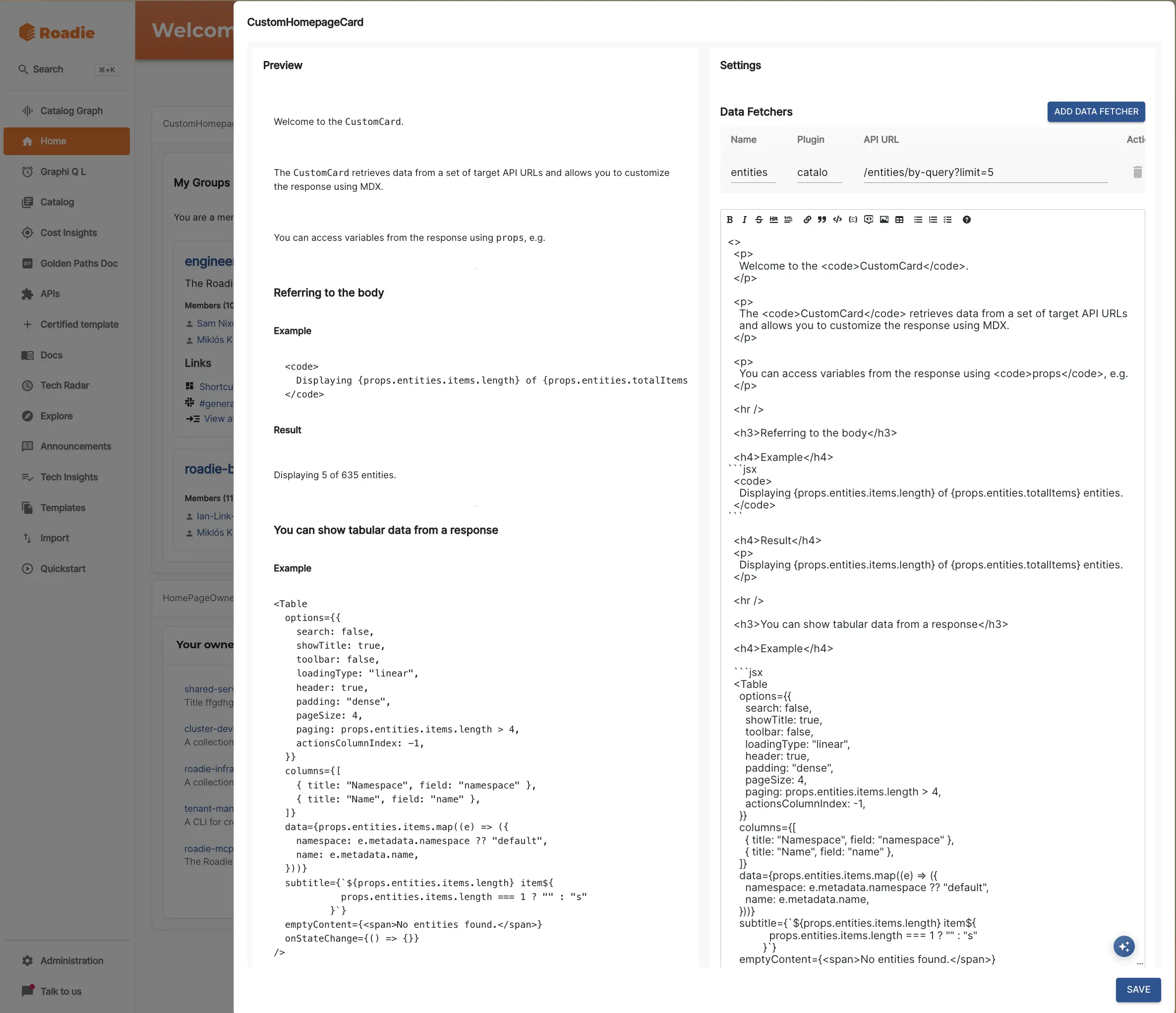
To create a card you can use the editor on either an Entity page using CustomCard or on the Home page using CustomHomepageCard.
The editor comprises of:
- Data fetcher configuration
- An editor so you can see the generated code
- A live preview of the rendered output
- And an AI agent to help generate and modify the cards themselves.
Using the AI agent
An AI agent is available to both generate cards and to tweak generated output.
Simply articulate in natural language what you would like to do and the agent will make changes.

Available components
The Custom Card has access to over 200 Roadie React components - Table, Button etc.
This allows visual uniformity of created custom cards and keeps the UI consistent.
The AI agent will automatically use these components, so there's no manual intervention required (unless you want to deviate from the components).
Available context
Various contextual data objects are available in the Custom Cards.
Users
Some user information is also available for use in the card. Logged in user and Backstage Identity information can be used either in the rendered output or in the API calls that the Data Fetchers make.
type UserInformation = {
  profile: ProfileInfo;
  displayName: string;
  userId?: string;
  identity?: BackstageUserIdentity;
};

type ProfileInfo = {
    email?: string;
    displayName?: string;
    picture?: string;
};

type BackstageUserIdentity = {
    userEntityRef: string;
    ownershipEntityRefs: string[];
};
For example, to retrieve a valid Backstage User Identity ref for a user could write something like {props.user?.identity?.userEntityRef} in the body of your card or {{ user.identity.userEntityRef }} as part of a templated Data Fetcher.
Entities
Using the /catalog plugin, entity information can be accessed.
Several /catalog endpoints are available.
More info about the endpoints themselves can be found in Backstage docs .
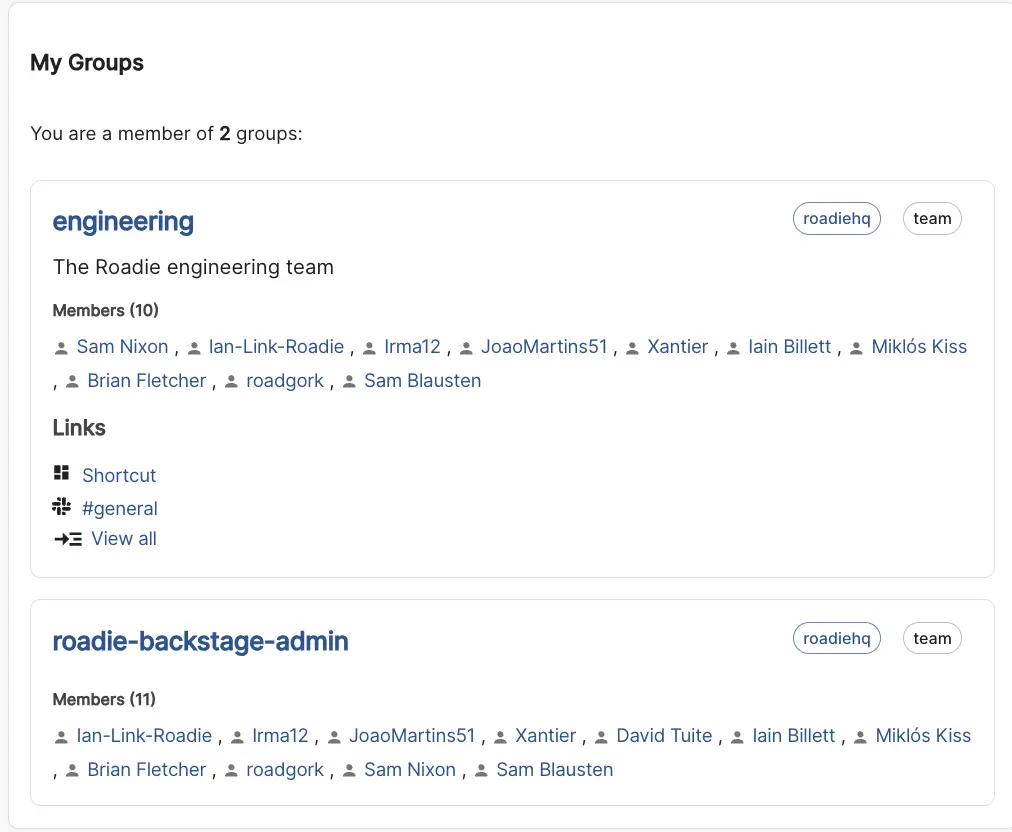
For example, if you wanted to pull information from the /entities Catalog API and use information about a user to retrieve only Group information pertinent to the logged in user, you could use the templated URL /entities/by-query?filter=kind=Group,relations.hasMember={{ user.identity.userEntityRef }}.
One potential output of that kind of card is something like this:
Data from Proxies
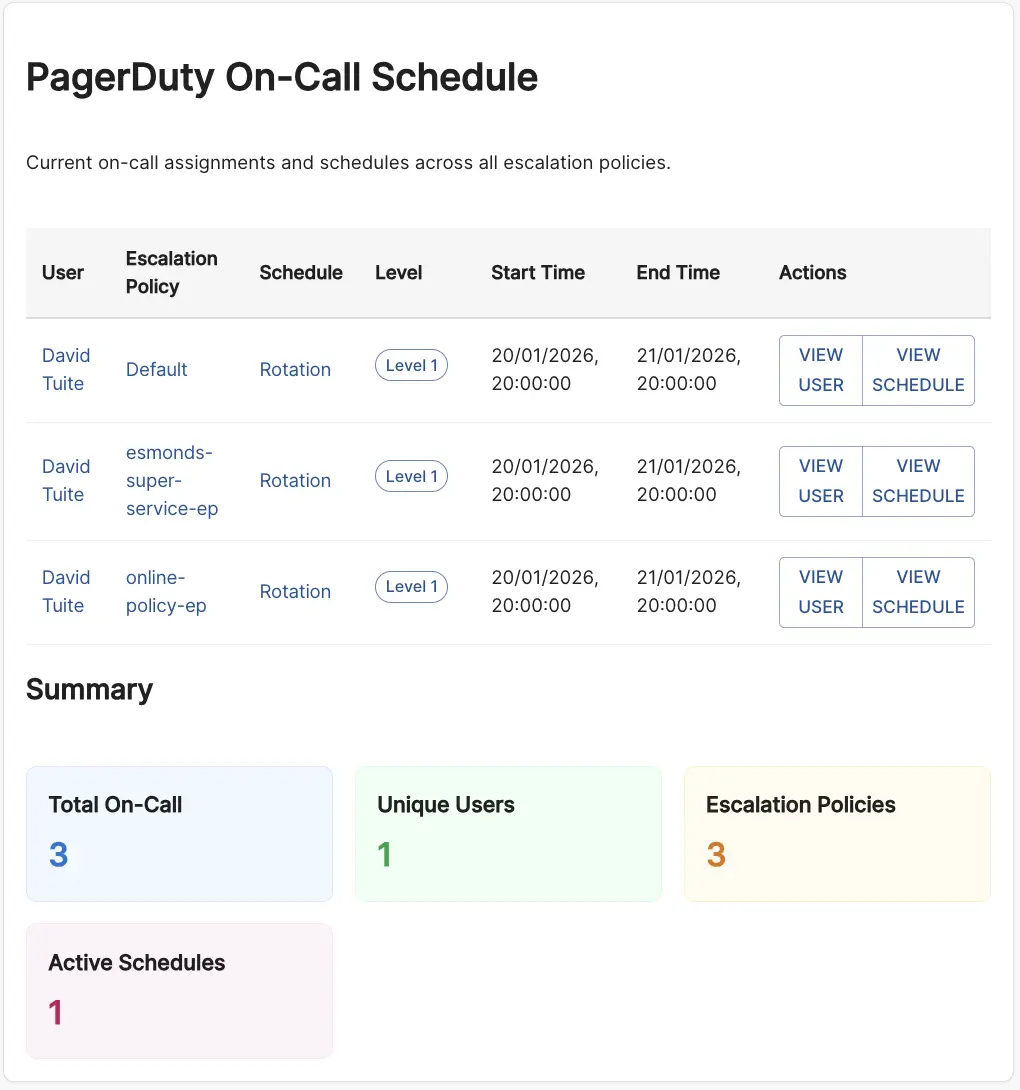
Third party data is also available via configured proxies.
For example, data from PagerDuty could be accessed to retrieve data about an On Call rotation and parsed via a card. One potential output of that kind of card is something like this: